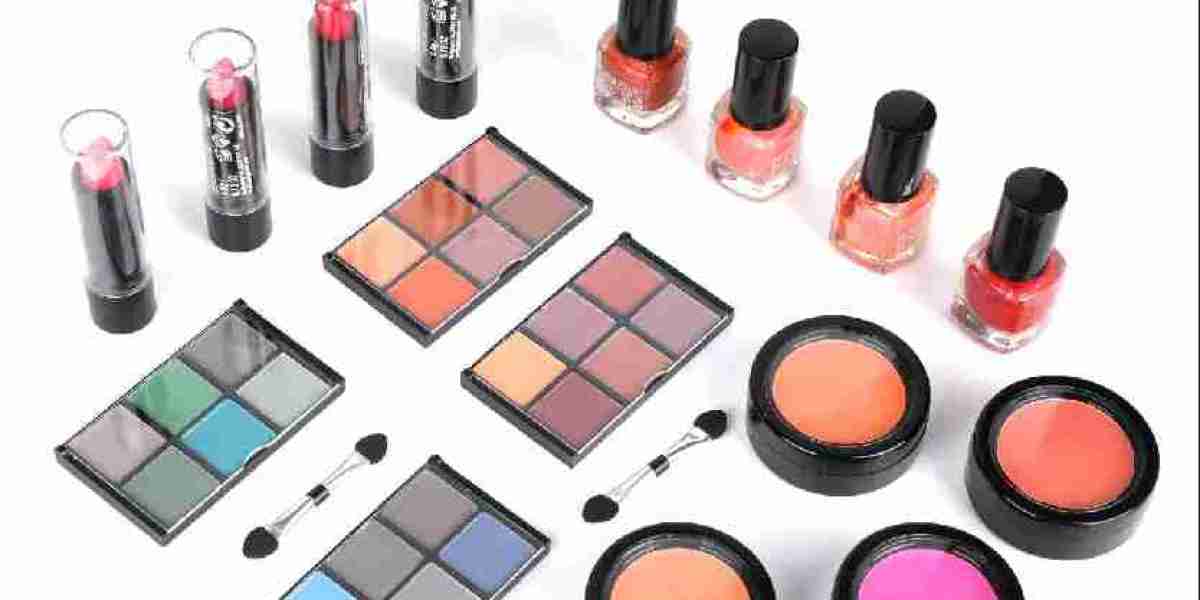
Online beauty stores need product listings that help customers understand what they are buying. Cosmetic Gift Sets can be attractive additions to an e-commerce catalog because they combine related products into a single offering. However, shoppers cannot inspect the package directly before ordering, so clear descriptions, accurate photographs, and detailed information are essential to building confidence.
The product assortment should be explained in a straightforward way. A listing can identify each item, its size, its intended use, and any relevant shade or fragrance options. If a set contains a cleanser, moisturizer, lipstick, and makeup brush, the description should explain the contents rather than relying on general phrases about beauty or self-care. This approach helps customers compare collections and reduces confusion about what arrives in the package.
Product photography also affects the online shopping experience. Images can show the closed gift box, the full assortment, and individual products arranged outside the packaging. Close-up photographs help customers examine labels, colors, textures, and accessories. For collections with several variations, each listing should clearly distinguish the available options so that customers can select the intended set.
Packaging requires special attention for online distribution. Cosmetic Gift Sets may contain bottles, jars, palettes, or delicate accessories that need protection during transportation. Internal inserts can prevent items from moving, while suitable outer cartons help protect the gift box from pressure and handling. Businesses should evaluate package dimensions and shipping weight because these factors influence storage, fulfillment, and delivery costs.
For online retailers, assortment planning should reflect customer search behavior and purchasing occasions. Some shoppers look for skincare gift boxes, while others search for makeup collections, travel beauty kits, or gifts for specific celebrations. Using accurate product titles and naturally written descriptions can help search engines understand the page. Related terms should appear where they make sense, without repeating the same keyword in every sentence.
Wholesale sellers and private label businesses may also use customization to create collections for different customer segments. Options can include product combinations, branded packaging, color themes, and printed gift messages, subject to supplier capabilities. Before placing a bulk order, buyers should confirm product availability, sample specifications, packaging protection, and delivery arrangements.
Customer service remains important after the sale. Clear usage instructions, accessible ingredient information, and accurate shipping details can help reduce avoidable questions. Retailers should also establish procedures for handling damaged packages, missing items, and customer feedback.
Cosmetic Gift Sets can support an online beauty store when product selection, presentation, and fulfillment are planned together. Accurate listings and protective packaging help customers understand the offer before purchase and receive the collection in suitable condition.
https://www.mgirlcosmetic.com/product/