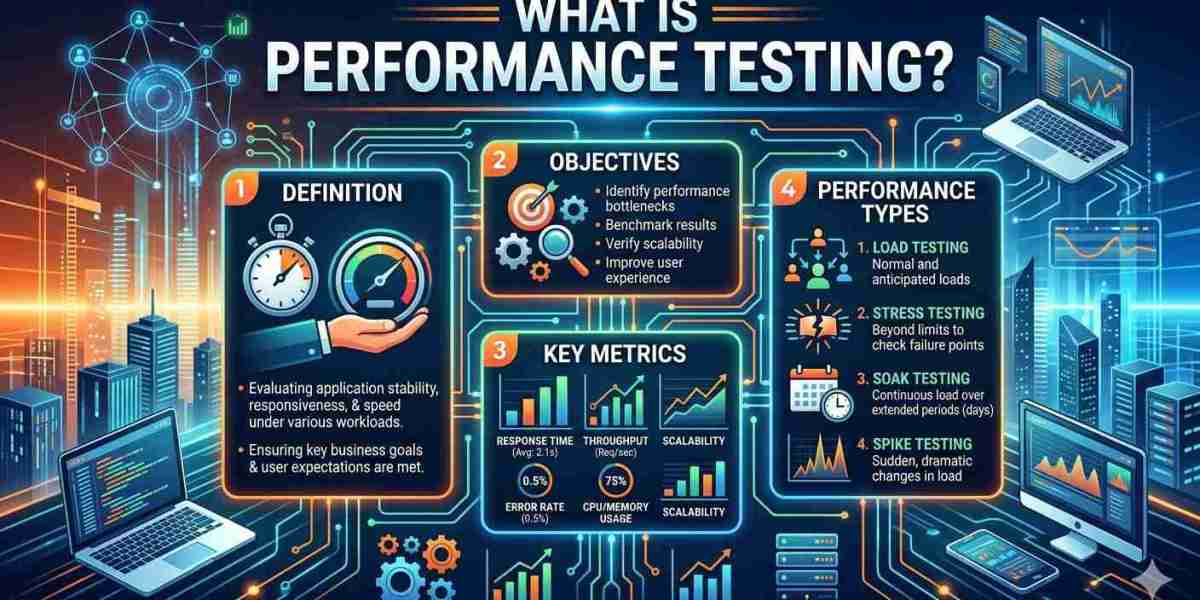
Performance testing is a type of non-functional software testing that measures how fast, stable, and scalable an application is under expected and peak workloads. It checks response time, throughput, resource usage, and error rates so teams can find bottlenecks before users do.
Search Intent and What You'll Learn
Most people searching this topic want a clear definition, the main test types, and a practical way to start. Some also land here while looking up the CPC full form, so that is covered too. In this guide you will learn:
- What performance testing means and why it matters
- The main types of performance testing
- Key metrics to track
- A step-by-step process you can follow
- Common tools and a simple real-world example
- What CPC stands for, and how it connects to site speed
What Is Performance Testing?
What is Performance Testing? Performance testing evaluates how a system behaves when real-world demand hits it. It does not ask "does this button work?" That is functional testing. It asks "does this button still work quickly when 5,000 people click it at once?"
The goal is not to find bugs in features. It is to find limits: where the system slows down, where it breaks, and why.
A performance test typically measures:
- Speed: how quickly the application responds
- Scalability: whether it handles more users or data without degrading
- Stability: whether it stays reliable over time and under pressure
It applies to websites, mobile apps, APIs, databases, and backend services.
Why Performance Testing Matters
Slow or unstable software costs trust. Users rarely wait for a sluggish page, and outages during busy periods (a sale, a ticket launch, a payroll run) are expensive and public.
Performance testing helps teams to:
- Catch bottlenecks before release instead of after complaints
- Plan infrastructure capacity with evidence, not guesswork
- Reduce the risk of crashes during traffic peaks
- Validate that new code has not made the system slower
- Meet service-level targets agreed with the business
For public websites, speed also feeds into user experience signals such as Google's Core Web Vitals, which is why front-end performance checks are now part of many SEO and engineering workflows.
Types of Performance Testing
Performance testing is an umbrella term. Each type answers a different question.
Type | What it checks | Typical question |
|---|---|---|
Load testing | Behavior under expected user load | Can we handle a normal busy day? |
Stress testing | Behavior beyond capacity, until failure | Where does it break, and how does it recover? |
Spike testing | Sudden, sharp jumps in traffic | What happens if traffic triples in a minute? |
Endurance (soak) testing | Stability over long periods | Does memory leak after 24 hours? |
Scalability testing | Performance as resources or users grow | If we add servers, does throughput rise? |
Volume testing | Handling large amounts of data | Does the database slow down at 50 million rows? |
Load Testing vs. Stress Testing
People often confuse these two. Load testing confirms the system works at expected demand. Stress testing pushes past expected demand to learn the breaking point and whether the system fails gracefully.
Key Performance Testing Metrics
Numbers only help if you know what they mean. These are the metrics most teams track:
Metric | Meaning |
|---|---|
Response time | Time between a request and the complete response |
Throughput | Requests or transactions handled per second |
Error rate | Percentage of requests that fail |
Concurrent users | Users active at the same moment |
Latency | Delay before a response begins |
CPU and memory usage | Server resources consumed under load |
Percentile response times (p90, p95, p99) | Response time experienced by most users, not just the average |
A practical tip: do not rely on averages alone. An average of 1 second can hide the fact that 5% of users wait 8 seconds. Percentiles show the real experience.
How to Perform Performance Testing: Step by Step
- Define goals. Decide what "good" means, for example "95% of checkout requests complete in under 2 seconds at 3,000 concurrent users." Base targets on business needs, not arbitrary numbers.
- Set up a realistic test environment. It should mirror production as closely as possible in hardware, configuration, and data volume.
- Identify key user journeys. Test what matters most: login, search, checkout, API calls, report generation.
- Design the workload. Model how many users, how fast they ramp up, and what they do.
- Prepare test data and scripts. Use realistic, varied data so caching does not hide problems.
- Run the tests. Start small, then increase load in stages while monitoring servers, databases, and the network.
- Analyze results. Compare metrics against your targets and trace slowdowns to their cause (slow queries, thread limits, memory leaks, external services).
- Fix, retest, and repeat. Performance testing is iterative. One run is a snapshot, not a guarantee.
Practical Example
Imagine an online store preparing for a festive-season sale. Normally it serves around 500 concurrent shoppers, but marketing expects roughly ten times that during the sale.
The team would:
- Run a load test at 500 users to set a baseline
- Run a stress test well above 5,000 users to find the failure point
- Run a spike test to simulate a flash-sale email going out
- Run a soak test overnight to catch memory leaks
Suppose the results show the checkout page slowing sharply at 3,000 users because of an unindexed database query. The team fixes the query, retests, and enters the sale with evidence instead of hope. (This is an illustrative scenario, not data from a real project.)
Popular Performance Testing Tools
Choose a tool based on your team's skills, protocols, and budget.
- Apache JMeter: open-source, widely used for web apps and APIs
- Gatling: code-based load testing with detailed reports
- k6: developer-friendly, scriptable in JavaScript
- Locust: Python-based, good for custom user behavior
- LoadRunner: commercial tool for large enterprise setups
- Lighthouse and WebPageTest: useful for front-end page speed checks
Pair a load-generation tool with monitoring (such as application performance monitoring or server dashboards) so you can see why something is slow, not just that it is slow.
Common Performance Testing Mistakes
- Testing in an environment that looks nothing like production
- Using unrealistic or too-little test data
- Judging results by average response time only
- Testing only once, right before launch
- Ignoring third-party services and APIs that can slow the system
- Having no clear pass/fail targets
CPC Full Form: What Does CPC Stand For?
Since many readers search "Learn CPC Full Form" alongside this topic, here is the clarification.
CPC stands for Cost Per Click. It is a digital advertising term, not a performance testing metric. In pay-per-click advertising (such as Google Ads), CPC is the amount an advertiser pays each time someone clicks their ad.
The two topics connect in one practical way. Ads send paid traffic to landing pages, and a slow or unstable page wastes that spend because visitors leave before converting. Google Ads also treats landing page experience as one input to ad quality, which can influence ad rank and costs. Performance testing helps make sure the page you pay to send traffic to can actually handle the visitors and load quickly.
FAQ's
1. What is performance testing in simple words?
It is checking how fast and stable software is when many people use it at the same time, so problems are found before real users face them.
2. Is performance testing functional or non-functional?
It is non-functional testing. It measures qualities such as speed, scalability, and reliability rather than whether individual features work.
3. What are the main types of performance testing?
Load, stress, spike, endurance (soak), scalability, and volume testing.
4. What is the difference between load testing and performance testing?
Load testing is one type of performance testing. Performance testing is the broader category that includes load, stress, spike, and others.
5. When should performance testing be done?
Early and often: during development for key components, before major releases, ahead of expected traffic peaks, and after significant infrastructure changes.
6. Which metrics matter most?
Response time (especially p95/p99), throughput, error rate, and resource usage. The right priority depends on your application's goals.
7. Can performance testing be automated?
Yes. Tools like JMeter, k6, and Gatling can run in CI/CD pipelines to catch performance regressions on every build or release.
8. What is the CPC full form?
CPC stands for Cost Per Click, the amount an advertiser pays per click on an online ad.
9. Is CPC related to performance testing?
Not directly. CPC is an advertising metric. They connect only indirectly, because a slow landing page can reduce the value of paid clicks.
10. Do small websites need performance testing?
Yes, in a lighter form. Even a basic page-speed check and a small load test can reveal problems before a campaign, launch, or sale.
Conclusion
Performance testing is about replacing assumptions with evidence. By defining clear goals, simulating realistic load, tracking the right metrics, and retesting after every fix, teams can ship software that stays fast and reliable when it matters most. Start small: pick one critical user journey, set one measurable target, and test it this week.