


However, connecting these applications is not always straightforward.
While custom integrations help automate workflows and eliminate manual data entry, businesses can encounter technical and operational challenges during implementation.
Data synchronization errors, incompatible formats, API limitations, duplicate transactions, and security concerns can affect how effectively different systems communicate.
For growing businesses and multi-location organizations, these problems can become even more complicated as transaction volumes increase.
The good news is that most integration challenges can be addressed through proper planning, standardized processes, and reliable integration technology.
In this guide, we'll explore the most common custom integration challenges, explain why they occur, and share practical solutions to help businesses build reliable, scalable integrations.
What Are Custom Integrations?
Custom integrations are software connections designed to exchange information between business applications according to specific operational requirements.
Unlike standard integrations that offer predefined functionality, custom integrations support specialized workflows, business rules, and data transformations.
For example, a retail company may use:
POS software to manage daily sales and payments.
CRM software to maintain customer information.
ERP software to manage inventory and purchasing.
Accounting software such as QuickBooks Online to record financial transactions.
Ecommerce platforms to manage online orders.
Without integration, employees often transfer information manually between these systems.
Custom integrations automate this process by collecting, transforming, validating, and synchronizing data.
However, successful implementation requires addressing several important challenges.
10 Common Custom Integration Challenges and Their Solutions
1. Incompatible Data Formats
The challenge:
Different software applications store and organize information differently.
For example, one POS system may categorize sales taxes separately, while another includes tax information within transaction details.
Similarly, customer names, product identifiers, dates, and payment information may use different formats across applications.
When this information is transferred without proper transformation, the destination system may reject records or process them incorrectly.
The solution:
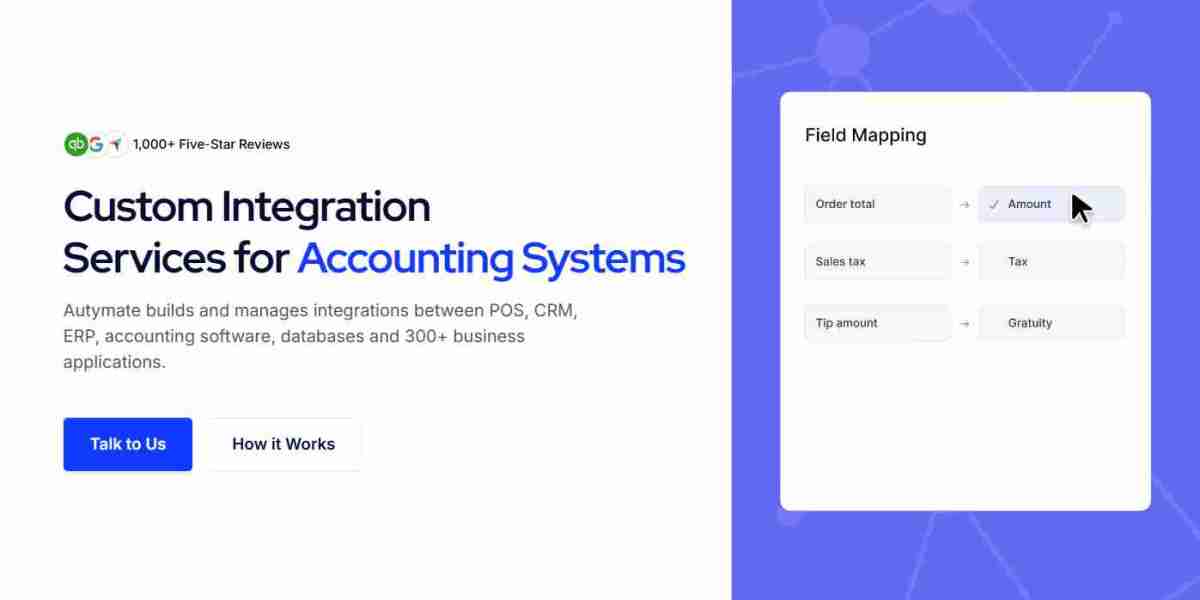
Use standardized data mapping and transformation rules.
A custom integration should convert information into a consistent format before transferring it to another system.
For example, sales data from multiple POS systems can be transformed into a standardized accounting structure before being sent to QuickBooks Online.
Business benefit: More consistent financial information and fewer data compatibility issues.
2. API Limitations and Connectivity Problems
The challenge:
Application programming interfaces (APIs) allow software platforms to exchange information.
However, APIs may impose rate limits, authentication requirements, transaction restrictions, or other technical limitations.
Some older applications may not provide modern APIs at all.
These limitations can interrupt synchronization or prevent businesses from accessing required information.
The solution:
Evaluate API capabilities before implementing an integration.
Developers should review API documentation, authentication methods, usage limits, and supported endpoints.
For applications with restricted access, alternative methods such as scheduled file imports or supported middleware may be appropriate.
Retry mechanisms and controlled request scheduling can also help manage temporary API failures.
Business benefit: More reliable communication between connected applications.
3. Duplicate Transactions and Inaccurate Records
The challenge:
Duplicate records are particularly problematic in accounting integrations.
For example, if a POS transaction is transferred to QuickBooks Online twice, revenue may be overstated.
Duplicates can occur when an integration retries a failed request without checking whether the original transaction was successfully processed.
The solution:
Implement duplicate detection and idempotent transaction processing.
Each source transaction should have a unique identifier that the integration uses to recognize previously processed records.
Before creating a new accounting entry, the integration should verify whether the transaction already exists.
Reconciliation checks can provide additional protection.
Business benefit: More accurate accounting records and fewer duplicate transactions.
4. Data Synchronization Delays
The challenge:
Businesses often expect information to move instantly between applications.
However, synchronization may be delayed by API limitations, network interruptions, scheduled processing intervals, or large transaction volumes.
These delays can cause employees to work with outdated customer, inventory, or financial information.
The solution:
Choose a synchronization strategy that matches business requirements.
Event-driven integration may be appropriate when information needs to move quickly.
Scheduled synchronization can work well for daily sales summaries and accounting updates.
Businesses should also monitor processing times and establish alerts when synchronization exceeds acceptable limits.
Business benefit: More predictable data availability and improved operational coordination.
5. Security and Data Privacy Risks
The challenge:
Custom integrations may transfer sensitive information, including customer records, financial transactions, and payment-related data.
Weak authentication, excessive permissions, or insecure data transmission can expose businesses to security risks.
The solution:
Use secure authentication, encrypted communication, and appropriate access controls.
Integration accounts should have only the permissions required to perform their assigned functions.
Businesses should also protect API credentials, maintain audit logs, and review security settings regularly.
Avoid storing unnecessary sensitive information within integration workflows.
Business benefit: Stronger protection of business and customer data.
6. Complex Multi-Location Integrations
The challenge:
Multi-location businesses may operate different POS systems, payment processors, or accounting structures.
A franchise with 50 locations might have inconsistent transaction formats, tax configurations, and reporting methods.
Manually managing these differences creates unnecessary complexity.
The solution:
Develop standardized integration workflows with location-specific configuration.
Use consistent data structures while allowing individual locations to maintain necessary accounting mappings.
For example, POS transactions can be organized by store identifier before being transferred into the appropriate QuickBooks Online records.
Centralized monitoring can help teams track synchronization across locations.
Business benefit: More consistent financial management and easier business expansion.
7. Poor Error Handling and Monitoring
The challenge:
Integration failures are not always immediately visible.
A failed transaction might remain unprocessed for hours or days, potentially affecting accounting accuracy and financial reporting.
Without monitoring, employees may discover problems only during reconciliation.
The solution:
Implement automated error detection, transaction logging, and exception handling.
A reliable integration should identify why a transaction failed and provide a process for resolving the issue.
For example, a transaction missing a required account mapping can be held for review rather than posted incorrectly.
Business benefit: Faster problem resolution and more dependable financial workflows.
8. Legacy Software Compatibility
The challenge:
Many established businesses continue using older software applications that support essential operations.
These systems may lack modern APIs, use outdated file formats, or have limited integration capabilities.
Replacing legacy applications can be expensive and disruptive.
The solution:
Use compatible middleware, structured file exchanges, or custom connectors where technically supported.
For example, a legacy inventory application may export CSV files that an integration can validate and transform before importing the information into an accounting platform.
Businesses should also evaluate the long-term maintenance requirements of connecting older systems.
Business benefit: Extended value from existing software investments.
9. Integration Scalability Problems
The challenge:
An integration that works for one business location may struggle when the company expands to dozens or hundreds of stores.
Increasing transaction volumes can create processing delays, resource constraints, and higher API usage.
The solution:
Design integrations with scalability in mind.
Techniques such as batching, queuing, controlled concurrency, and efficient data processing can help manage larger workloads.
Businesses should also monitor processing performance and test integrations under expected transaction volumes.
Business benefit: More dependable integrations as business operations expand.
10. High Maintenance and Integration Costs
The challenge:
Custom integrations require ongoing maintenance.
Software providers may update APIs, change authentication methods, introduce new data fields, or discontinue features.
Without regular maintenance, previously working integrations may eventually fail.
The solution:
Use well-documented integration architecture, reusable components, and structured monitoring.
Businesses should establish maintenance responsibilities and review integration performance regularly.
Choosing an experienced integration provider can also reduce the burden of troubleshooting and ongoing support.
Business benefit: Better long-term integration reliability and more predictable operational costs.
Custom Integration Challenges and Solutions: Quick Comparison
| Integration challenge | Recommended solution |
|---|---|
| Incompatible data formats | Data mapping and transformation |
| API limitations | Rate-limit handling and retry strategies |
| Duplicate transactions | Unique identifiers and idempotency |
| Synchronization delays | Event-driven or scheduled processing |
| Security risks | Encryption and access controls |
| Multi-location complexity | Standardized workflows |
| Integration failures | Monitoring and exception handling |
| Legacy systems | Middleware and supported file transfers |
| Scalability limitations | Batching, queuing, and capacity planning |
| High maintenance costs | Documentation and ongoing support |
Best Practices for Successful Custom Integrations
Businesses can reduce integration risks by following a structured implementation approach.
1. Define clear integration requirements
Identify which applications need to exchange information and determine which records should be synchronized.
2. Establish data ownership
Decide which application is the authoritative source for customer, product, inventory, and financial information.
3. Test integrations before deployment
Use representative transactions to verify mappings, calculations, duplicate handling, and error recovery.
4. Monitor integration performance
Track processing failures, synchronization delays, transaction counts, and reconciliation differences.
5. Plan for future expansion
Design integration workflows to accommodate additional applications, business locations, and transaction volumes.
These practices help organizations create reliable integrations that continue supporting business operations as requirements evolve.
How Autymate Helps Businesses Overcome Custom Integration Challenges
Managing custom integrations can become complicated when organizations use multiple POS systems, accounting applications, and operational platforms.
Autymate helps businesses connect these systems through configurable integration and accounting automation workflows.
For companies using QuickBooks Online, POS software, and other applications, integration requirements often include data transformation, transaction validation, and automated processing.
Autymate's approach focuses on helping businesses organize and transfer financial information while reducing repetitive manual accounting work.
For example, a restaurant franchise operating 75 locations may need to collect daily sales reports from multiple POS platforms.
A properly configured integration can standardize sales information, apply accounting mappings, and transfer validated records to the appropriate QuickBooks Online company or location.
Transactions requiring additional review can be handled through exception-management workflows.
This helps finance teams maintain greater visibility into automated processing and address issues before they affect accounting records.
For growing businesses, custom integrations can provide a flexible foundation for connecting operational systems and improving accounting efficiency.
Frequently Asked Questions
1. What is the biggest challenge in custom software integration?
One of the most common challenges is ensuring that information from different applications is compatible, accurate, and consistently synchronized.
2. How can businesses prevent integration errors?
Businesses can reduce errors through data validation, standardized mappings, duplicate detection, automated monitoring, and regular reconciliation.
3. Can custom integrations connect legacy software?
Yes, when the legacy application provides an accessible API, supported file export, database interface, or another reliable data exchange method.
4. How can custom integrations support multiple business locations?
Custom integrations can standardize data from different locations, apply location-specific accounting rules, and automate financial data transfers.
5. Are custom integrations secure?
They can be secure when implemented with appropriate authentication, encryption, access controls, credential management, and monitoring.
6. How often should custom integrations be maintained?
Integrations should be monitored continuously or regularly according to business requirements. Maintenance should also occur when connected applications change their APIs, authentication methods, or data structures.
Conclusion
Custom integrations help businesses connect applications, automate processes, and reduce manual data entry.
However, challenges such as incompatible data formats, API limitations, duplicate transactions, security risks, and synchronization failures can affect integration performance.
Addressing these challenges requires proper planning, reliable data mapping, error handling, monitoring, and ongoing maintenance.
For growing businesses and multi-location organizations, a well-designed integration strategy helps maintain accurate information and supports scalable operations.
Ready to simplify your business integrations?
Explore Autymate to learn how custom integration and accounting automation solutions can help connect your business applications, reduce manual work, and improve operational efficiency.