


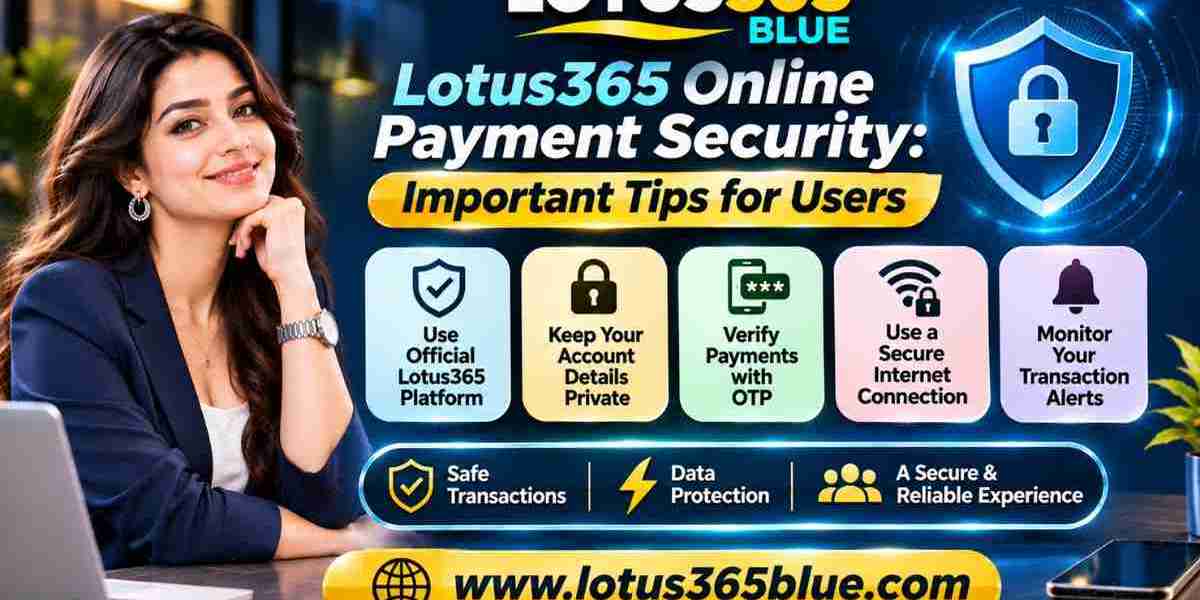
Online payment security is an important consideration whenever an account is connected to digital transactions. Users of Lotus365 may interact with payment methods such as UPI, bank transfers, or other options shown in their current account. While digital payments can be convenient, safe usage depends heavily on checking payment information, protecting account credentials, recognizing suspicious requests, and keeping transaction records.
A Lotus365 ID can identify a user's account, but it should not be treated as a password or payment authorization code. Account security depends on several layers, including a strong password, secure login habits, device protection, and careful handling of payment information. General UPI guidance from NPCI also emphasizes protecting UPI PINs and checking transaction details before authorizing payments.
Get lotus365 id-https://lotus365blue.com/
Why Online Payment Security Matters
Digital transactions are designed to be fast, but speed can sometimes make users act without checking important details. A payment request may look familiar while containing an incorrect recipient, amount, or payment destination.
Security therefore begins before a transaction is confirmed. Users should pause and verify the information displayed on the payment screen rather than assuming that a request is legitimate because it contains a familiar platform name.
A current Lotus365 payment guide similarly recommends checking payment details, using the user's own payment account where required, retaining transaction references, and avoiding unexpected payment requests.
Protecting Your Lotus365 ID
Your Lotus365 ID is an account identifier, but protecting the account requires more than keeping the ID private.
Users should maintain a strong and unique password for their account. Reusing the same password across several websites increases the potential impact if another service experiences a security problem.
Avoid using easily guessed information such as names, birthdays, phone numbers, or simple numerical sequences as the basis of a password.
If you suspect that your account credentials have been exposed, changing the password promptly is an important first step. You should also review recent account activity for transactions or login activity that you do not recognize.
Use a Trusted Login Page
One of the most common security risks is entering credentials into a fake login page.
A fraudulent website can imitate the appearance of a legitimate service while attempting to collect usernames, passwords, or other information.
Before completing a Lotus365 Login, check the address carefully and avoid following login links received from unknown WhatsApp, Telegram, email, SMS, or social-media accounts.
Do not assume that a page is legitimate simply because it uses the correct logo or familiar colors. Fraudulent pages can be designed to look almost identical to genuine websites.
Never Share Your Password or OTP
Passwords and one-time passwords should remain private.
A person claiming to be customer support should not need your password or OTP to prove that they can help with a transaction. The same principle applies to UPI PINs, card PINs, and other authentication credentials.
NPCI's current UPI safety guidance explicitly warns users not to share OTPs and says the UPI PIN should only be entered on the appropriate UPI PIN page.
If someone asks you to send an OTP, password, UPI PIN, or banking credentials through chat, treat the request as suspicious.
UPI Payment Security on Lotus365
If UPI is available as a payment option, users should understand that authorizing a UPI transaction is different from simply receiving money.
Before approving a payment, carefully check:
- Payment amount
- Recipient or beneficiary name
- Payment account
- Transaction details
- Any collect-request information
NPCI states that a UPI PIN is used to authorize bank transactions and should not be shared with anyone. It also provides transaction-history functionality for reviewing previous and pending payments.
This makes it important to verify the information on the UPI screen before entering the PIN.
Remember: A UPI PIN Is Not Needed to Receive Money
A common source of confusion is the claim that someone needs your UPI PIN to send money to you.
Your UPI PIN is used to authorize transactions from your account. It should not be disclosed to another person simply because they claim they are sending a refund, payment, prize, or account credit.
The same principle applies to OTPs. An unexpected request for an OTP should be treated cautiously.
Official cyber-safety guidance also recommends keeping UPI PINs private and verifying the payee before completing a payment.
Verify the Recipient Before Paying
Checking the recipient is one of the simplest ways to reduce payment mistakes.
Before approving a transaction, compare the recipient information displayed by the payment application with the details you expected.
This is particularly important when payment instructions have been copied from a message. A fraudster could replace legitimate payment information with another account.
Do not rely solely on a person's claim that a payment destination belongs to Lotus365 or another service. Verify payment information through the legitimate account interface before proceeding.
Be Careful With QR Codes
QR codes can make payments convenient, but scanning a code does not automatically make it safe.
Before authorizing a QR-based payment, check the recipient information displayed after scanning. If the name or payment details do not match what you expected, stop the transaction.
The National Cyber Crime Reporting-related guidance also recommends verifying the name associated with a QR payment before proceeding.
A QR code should therefore be treated as a payment instruction, not as proof that the destination is trustworthy.
Avoid Unexpected Collect Requests
A UPI collect request can ask you to authorize a payment from your account.
Users should read the request carefully before approving it. If the request is unexpected, unclear, or comes from an unfamiliar recipient, do not approve it simply because someone tells you that it is necessary.
A legitimate payment process should make the purpose of the transaction understandable. If someone uses urgency or threats to pressure you into approving a collect request, stop and verify the situation independently.
Check Transaction Details Before Confirmation
A few seconds of review can prevent an avoidable payment error.
Before confirming a transaction, check the amount and recipient. If the payment interface displays a reference, beneficiary, or other identifying information, review it before authorization.
This is especially important when using mobile devices because small screens can make it easier to overlook information.
A useful habit is to follow the sequence:
Check → Compare → Confirm.
Check the payment details, compare them with the intended transaction, and only then confirm the payment.
Keep Payment Notifications Enabled
Payment notifications can help users identify transactions quickly.
If your bank or payment application provides transaction alerts, keeping them enabled can make it easier to notice an unfamiliar debit or unexpected payment.
Review notifications rather than automatically dismissing them. If an alert shows an amount or recipient that you do not recognize, investigate it promptly.
RBI guidance recommends monitoring transaction alerts and checking payment details as part of safe digital-banking practices.
Avoid Public or Unsecured Networks
The security of an online payment also depends on the device and network being used.
Avoid performing sensitive payment activity through unknown public computers or unsecured networks when possible. A trusted personal device and secure connection provide a better environment for account access.
RBI's digital-banking guidance advises users to avoid transactions through public devices and unsecured networks and to keep payment applications updated.
If you are using a shared computer, make sure you sign out completely after finishing the session and do not save your login credentials.
Keep Your Device Secure
A secure account can still be exposed if the device itself is poorly protected.
Use a screen lock on your smartphone and keep the operating system, browser, and payment applications updated.
Avoid installing unknown applications simply because someone claims they are necessary for completing a payment.
If a person claiming to be support asks you to install remote-access software to “fix” a payment problem, treat the request as highly suspicious.
Be Careful With APK Files
Users who encounter a Lotus365 Apk or other Android installation file should verify its source before installing it.
APK files obtained through unknown websites, messaging groups, or file-sharing services can introduce security risks if their origin cannot be verified.
Do not disable device security controls merely because a website instructs you to do so. If an application is legitimate, users should obtain it through the appropriate trusted distribution channel where available.
The same principle applies to payment applications: use verified apps and avoid installation files sent by unknown individuals.
Recognizing Phishing Attempts
Phishing attempts often use urgency to encourage users to act without thinking.
A suspicious message may claim that:
- Your account will be blocked immediately.
- A payment must be completed within a few minutes.
- You must share an OTP to receive a refund.
- You need to pay an additional amount to release a withdrawal.
- Support requires your password or UPI PIN.
- You must install remote-access software.
- A payment must be sent to a personal account.
These claims should not be accepted automatically.
A recent Lotus365 security guide also identifies urgency, requests for private credentials, remote-access instructions, and unusual payment destinations as warning signs.
Do Not Make an Extra Payment to “Unlock” a Transaction
One particularly important warning concerns requests for additional private payments.
A person may claim that a withdrawal, account, refund, or transaction cannot proceed until another payment is made. Instead of immediately following the instruction, verify the requirement through the legitimate account interface or official support process.
Never send an additional payment merely because someone contacted you through an unofficial messaging channel.
If the request is legitimate, there should be a verifiable explanation and an appropriate official payment process rather than pressure to transfer money to an individual's personal account.
Review Your Transaction History Regularly
Transaction history provides an additional layer of account monitoring.
Review recent deposits, withdrawals, and other payment activity periodically. Look for transactions you do not recognize or records that do not match your own activity.
If your payment provider supports transaction-history tools, use them to compare external payment records with the corresponding account transaction.
NPCI's UPI FAQ confirms that users can access transaction history to review past and pending transactions.
Keep Transaction References
Transaction references can be useful when investigating a payment.
After completing a transaction, keep the relevant reference number until the payment has been fully reconciled.
If a payment becomes pending or appears to have a problem, having the transaction reference can make it easier to identify the specific transaction.
However, do not confuse a transaction reference with a password or authentication credential. A reference can help identify a payment, while passwords, OTPs, and PINs must remain confidential.
What to Do If You Notice an Unrecognized Payment
If you notice an unfamiliar transaction, act promptly.
First, review the transaction details and determine whether someone with authorized access to the account may have made the payment.
Next, check the corresponding bank or payment application.
If you believe the transaction is unauthorized, contact the relevant bank or payment provider through its verified support channel and follow its fraud-reporting procedure.
Do not attempt to resolve a suspected fraud situation by sending additional money to the person who contacted you.
For UPI-related concerns, NPCI also provides mechanisms for checking transaction status and raising complaints through participating banking/payment channels.
Protecting Personal Information
Payment security is not limited to passwords and PINs.
Avoid unnecessarily sharing personal information, screenshots of complete payment records, account details, or identification documents through public forums or unknown messaging accounts.
If you need to provide a transaction screenshot to legitimate support, remove information that is not necessary for identifying the transaction.
For example, avoid exposing OTPs, UPI PINs, passwords, card security codes, or unrelated personal information.
A Practical Lotus365 Payment Security Checklist
Before making a payment, ask yourself:
- Am I accessing the correct account and trusted payment page?
- Is the payment method one currently shown in my account?
- Does the recipient or beneficiary match the intended destination?
- Is the amount correct?
- Am I authorizing the payment myself?
- Has anyone asked me for an OTP, password, or UPI PIN?
- Am I being pressured to act immediately?
- Have I saved the transaction reference?
- Does the transaction appear correctly in my payment history?
- Am I using a secure and trusted device?
If any answer raises doubt, stop the transaction and verify the details before continuing.
Security Tips for Your Lotus365 ID
Because your Lotus365 ID provides access to your account environment, protecting it should be part of your overall payment-security routine.
Use a unique password, avoid sharing account credentials, sign out from devices you do not control, and monitor account activity for unusual changes.
If you suspect unauthorized access, change your password and review recent account activity. If your email account is connected to the same credentials or uses a reused password, secure that account as well.
Most importantly, do not let another person convince you that they need your password or OTP to “verify” your account.
What Legitimate Support Should Not Ask For
Users should be cautious about support impersonation.
A person claiming to be support should not need your password, UPI PIN, OTP, card PIN, or other secret authentication information to identify a transaction.
The NPCI's UPI guidance explicitly says that users should not share their UPI PIN and that bank customer support should not ask for it.
If you receive a suspicious support message, independently locate the verified support channel rather than replying through the message itself.
Final Thoughts
Online payment security on Lotus365 depends on consistent habits rather than one single security setting. Protecting your Lotus365 ID, using a trusted login route, checking payment details, verifying recipients, keeping transaction references, and monitoring account activity can all reduce avoidable payment risks.
UPI users should be particularly careful with PINs, OTPs, QR codes, collect requests, and unexpected payment instructions. NPCI's current safety guidance emphasizes that UPI PINs and OTPs should remain private and that payment details should be checked before authorization.
If something about a transaction looks unusual, do not let urgency determine your decision. Stop, verify the information through an independent trusted channel, and use the appropriate bank or payment-provider support process when necessary.
Good payment security is ultimately about maintaining control over your account, your credentials, and every transaction you authorize.