Introduction
Building a successful WordPress website involves much more than writing code and publishing content. Every project requires planning, testing, collaboration, optimization, and continuous maintenance to ensure the final product performs reliably in real-world conditions.
Unfortunately, many developers still make changes directly on live websites. While this approach may appear faster, it often leads to unexpected downtime, broken functionality, plugin conflicts, and frustrated users.
A well-defined WordPress Development Workflow eliminates these risks by introducing structured processes for development, testing, quality assurance, and deployment.
Whether you're a freelancer managing client projects or an agency maintaining dozens of WordPress websites, following an organized workflow improves efficiency while reducing costly mistakes.
In this article, we'll discuss the essential stages of a professional WordPress development workflow, common challenges developers face, and how WPStack helps streamline the entire development process.
What Is a WordPress Development Workflow?
A WordPress Development Workflow is a structured process developers follow while creating, testing, and maintaining WordPress websites.
Rather than editing files directly on production servers, developers work through multiple stages that ensure every change is properly validated before deployment.
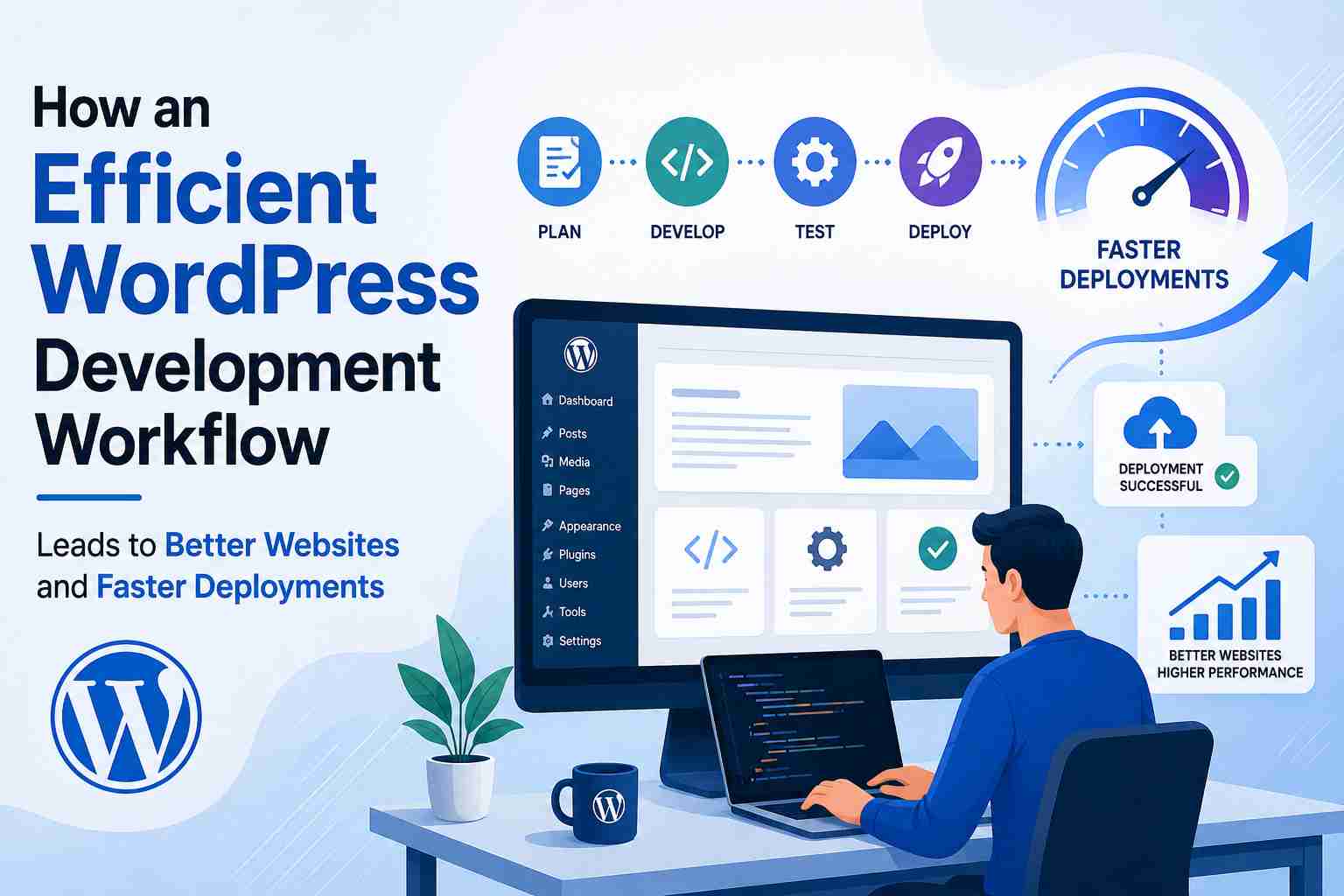
A typical workflow includes:
- Planning project requirements
- Local or sandbox development
- Feature implementation
- Testing
- Client review
- Deployment
- Ongoing maintenance
Each stage reduces risk while improving project quality.
Why Every WordPress Project Needs a Structured Workflow
As websites become larger and more feature-rich, development becomes increasingly complex.
Without a clear workflow, teams often encounter problems such as:
- Plugin conflicts
- Broken layouts
- Lost code changes
- Poor collaboration
- Unexpected downtime
- Performance regressions
A structured workflow minimizes these issues by encouraging testing before deployment and maintaining consistency across projects.
Stage 1: Planning Before Development
Successful projects begin with careful planning.
Developers should define:
- Business objectives
- Website functionality
- User roles
- Required integrations
- Future scalability
Planning reduces unnecessary revisions later in the project.
Stage 2: Building in a Safe Development Environment
Developing directly on a live website is risky.
Instead, developers should use a dedicated WordPress Sandbox where they can safely experiment without affecting visitors.
Sandbox environments allow teams to:
- Test new plugins
- Build custom features
- Validate theme updates
- Debug issues
- Measure performance
Working in isolation significantly reduces deployment risks.
Stage 3: Custom Feature Development
Every business has unique requirements.
Instead of installing multiple third-party plugins, developers often rely on WordPress Plugin Development and Custom WordPress Solutions to create lightweight, scalable functionality.
Examples include:
- Membership portals
- Booking systems
- CRM integrations
- Customer dashboards
- API connections
- WooCommerce enhancements
Custom development produces cleaner code while improving long-term maintainability.
Stage 4: Testing Before Deployment
Testing is one of the most important stages of the development workflow.
Before publishing changes, developers should verify:
- Plugin compatibility
- Theme functionality
- Mobile responsiveness
- Browser compatibility
- Database performance
- PHP version compatibility
Creating a WordPress Plugin Demo Site also makes it easier to demonstrate new features to clients before deployment.
Stage 5: Performance Optimization
Development should always include performance reviews.
Regular WordPress Performance Optimization helps improve:
- Page speed
- Core Web Vitals
- Database efficiency
- Server response time
- User experience
Performance testing should continue throughout the website's lifecycle rather than ending after launch.
Stage 6: Ongoing Maintenance
Launching a website is only the beginning.
Continuous WordPress Plugin Maintenance ensures plugins remain secure, compatible, and fully functional.
Routine maintenance should include:
- Plugin updates
- Theme updates
- Database cleanup
- Security reviews
- Backup verification
- Performance monitoring
Consistent maintenance reduces technical debt while improving long-term stability.
How WPStack Simplifies the Development Workflow
Managing multiple WordPress environments manually can consume valuable development time.
WPStack simplifies this process by providing isolated WordPress environments that support every stage of the development workflow.
Using WPStack, developers can:
- Create temporary development environments
- Test custom plugins safely
- Demonstrate features to clients
- Validate updates before deployment
- Troubleshoot compatibility issues
- Collaborate more effectively with team members
This structured workflow reduces deployment risks while helping developers deliver more reliable WordPress websites.
Best Practices for a Better Development Workflow
To maximize efficiency, consider these best practices:
- Document project requirements clearly.
- Use version control for every project.
- Develop in isolated environments.
- Review code before deployment.
- Test across multiple browsers and devices.
- Optimize website performance regularly.
- Keep plugins and themes updated.
- Maintain regular backups.
- Monitor website health after deployment.
- Continuously improve internal development processes.
Frequently Asked Questions
Why is a WordPress Development Workflow important?
It helps developers organize projects, reduce deployment risks, improve collaboration, and deliver higher-quality websites.
What is a WordPress Sandbox?
A WordPress Sandbox is an isolated development environment where developers safely test plugins, themes, and updates before publishing changes.
Why create a WordPress Plugin Demo Site?
Demo sites allow developers to showcase new functionality, collect client feedback, and verify plugin behavior before deployment.
How does WordPress Plugin Development fit into the workflow?
Custom plugin development enables businesses to create optimized functionality while reducing dependency on unnecessary third-party plugins.
How does WPStack improve WordPress development?
WPStack provides developers with secure testing environments that simplify plugin development, performance optimization, demonstrations, and deployment while protecting production websites.
Conclusion
A successful WordPress Development Workflow is built on planning, testing, collaboration, and continuous improvement. By following a structured process, developers can reduce deployment risks, improve website quality, and deliver reliable experiences for clients and users alike.
Combining best practices with WPStack allows WordPress professionals to build, test, and deploy projects more efficiently while maintaining high standards of performance and security. Whether you're developing custom features, optimizing performance, or maintaining long-term client websites, a well-defined workflow provides the foundation for consistent success.